


Mosque Carpet Subfloor & Moisture Guide
MosqueBuild Technical Guide
Mosque Carpet Subfloor & Moisture Guide
A stable, dry and correctly prepared subfloor is essential for reliable mosque carpet installation, especially where large continuous prayer-row patterns make defects highly visible. Use this guide to define the scope, verify the project inputs and connect the technical decision to procurement, installation and long-term use.
Start with the real project conditions
A stable, dry and correctly prepared subfloor is essential for reliable mosque carpet installation, especially where large continuous prayer-row patterns make defects highly visible. Generic dimensions or reference images are useful for discussion, but final decisions should come from verified site information, destination requirements and the agreed responsibility boundary.
On international projects, record which requirements are controlled by MosqueBuild, the local architect or engineer, the main contractor, customs/logistics parties and the client. On renovation, distinguish verified existing conditions from assumptions. Final statutory compliance must be confirmed by the responsible local professionals.
Technical and planning priorities
1. Moisture condition
Assess the substrate with methods appropriate to the floor system and project conditions before carpet or adhesive is committed. Record the approved basis clearly so the next project stage does not reinterpret the requirement or repeat the same investigation.
2. Flatness and surface quality
Remove contamination, weak laitance, high spots and local defects that can telegraph through the carpet or disturb prayer-row alignment. Record the approved basis clearly so the next project stage does not reinterpret the requirement or repeat the same investigation.
3. Floor heating
Where underfloor heating is present, coordinate commissioning, temperature limits, adhesive compatibility and installation timing with the selected carpet system. Record the approved basis clearly so the next project stage does not reinterpret the requirement or repeat the same investigation.
4. Transitions and levels
Resolve thresholds, expansion joints and changes to adjacent finishes without creating trip points or visible pattern disruption. Record the approved basis clearly so the next project stage does not reinterpret the requirement or repeat the same investigation.
5. Installation environment
Control moisture, temperature, dust and sequencing so carpet is not installed while wet trades or uncontrolled construction work can damage it. Record the approved basis clearly so the next project stage does not reinterpret the requirement or repeat the same investigation.
Interfaces that should be reviewed together
Coordinate concrete/screed condition, adhesive and underlay, underfloor heating and prayer-row setting-out and adjacent finishes. These interfaces often determine whether a technically correct individual product can actually be transported, installed, operated and maintained in the completed mosque.
Recommended workflow
- Collect: assemble drawings, dimensions, photographs, destination information and the required scope.
- Verify: mark every critical input as verified, assumed or pending; do not allow pending dimensions to become silent fabrication assumptions.
- Coordinate: check adjacent packages, access, services, fixings, finishes, logistics and future maintenance.
- Approve: issue controlled drawings, samples, schedules or technical records appropriate to the topic.
- Deliver and record: inspect the completed result and retain the final information for installation, customs, operation or future replacement as applicable.
Common mistakes
- Installing over unresolved moisture.
- Using adhesive before confirming substrate compatibility.
- Ignoring expansion joints.
- Allowing late wet work above finished carpet.
Most of these failures can be reduced by freezing information in the correct order. First confirm the requirement and site condition, then coordinate the interfaces, then approve the product or fabrication information. Price comparisons become more reliable when every option is based on the same scope.
Project file and handover
Keep subfloor inspection record, moisture test record where applicable, approved adhesive/underlay system and installation acceptance checklist. Add revision dates and responsible parties. For export work, connect package numbers and commercial documents to the same product/drawing references used by the installation team. For architectural work, keep approved geometry and finish information with the as-built record.
Frequently asked questions
What information is needed for the first technical review?
Send the project location, current drawings or measured sketch, photographs, key dimensions, expected programme and the exact supply/installation boundary. For mosque carpet subfloor moisture, include the specific decisions listed in this guide so the review starts from project evidence rather than a generic catalogue assumption.
Can this be adapted to an existing mosque?
Yes. Existing buildings should be surveyed first. Record actual openings, levels, finishes, services, access restrictions and elements that must remain. New work can then be detailed around the building instead of forcing the building to accept a standard module.
How does this connect to pricing?
Custom mosque work is priced more accurately after dimensions, material/performance requirements, included components, packing, delivery and installation responsibilities are defined. A lower headline price may cover a different boundary, so compare quotations against the same technical scope.
Related MosqueBuild resources
Mosque Carpet Selection Guide · Carpet Roll Specification & Installation · Mosque Carpet Guide Hub · All MosqueBuild Guides · Request a Project Review
This guide supports planning and coordination. Final structural, electrical, fire, accessibility, customs and local-code requirements must be verified for the actual project by the responsible qualified parties.
Related Products & Project Applications
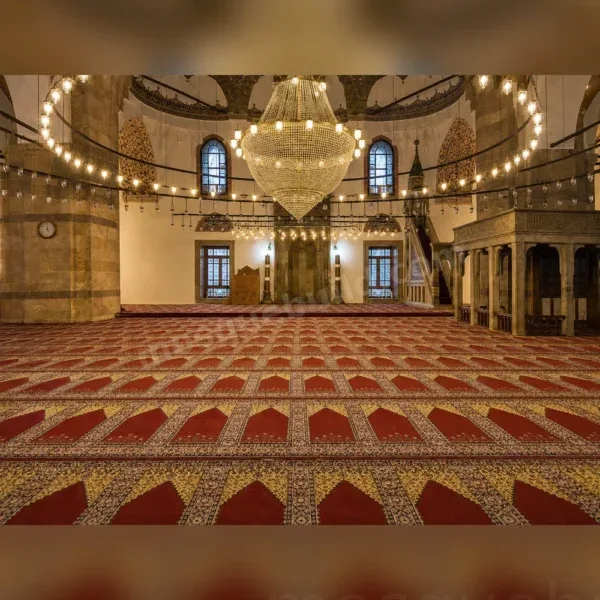
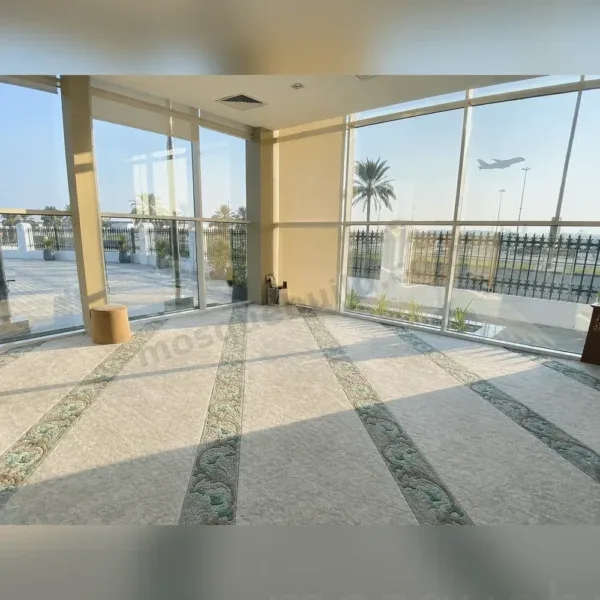

Explore Mosque Carpet Systems
Continue from this guide to the main solution page, technical directory and closely related resources.
 English
 German
 Turkish
 Russian
 French
 Arabic